Best JoggAI Alternative for AI Video Creation ImaStudio vs JoggAI
If you are looking for a JoggAI alternative, the choice comes down to workflow scope. JoggAI is focused on avatar video production, while ImaStudio brings avatar videos, product visuals, editing tools, model pages, commercial agents, and community examples into one creative workspace.
 ImaStudio
Best when your team wants a JoggAI alternative that can generate, edit, enhance and test multiple ecommerce assets.
 JoggAI
Best when your main need is a focused avatar product video workflow.
JoggAI Alternative Quick Verdict
Choose the platform based on how broad your creative workflow needs to be. If you only need avatar videos, compare both closely. If your product team also needs images, editing, upscaling, poster assets, product pages and community inspiration, ImaStudio is the broader JoggAI alternative.
ImaStudio is broader
Use ImaStudio as a JoggAI alternative when product ads are only one part of your workflow and you also need image generation, editing, video tools and agent-led ecommerce assets.
JoggAI is focused
Use JoggAI when your immediate goal is a specialized avatar video path for product explainers, UGC-style ads or sales videos.
The decision is workflow scope
The best choice depends on whether your team wants one avatar-video tool or a connected creative studio for testing many asset types.
Choose ImaStudio if you need a full creative studio
ImaStudio is a better fit for ecommerce teams, marketers and creators who need product ad videos plus image, editing and agent workflows in the same workspace.
- Turn one product image into avatar-led video concepts for ads and product pages.
- Create supporting assets such as product photos, posters, edited images and enhanced videos.
- Move between tools, commercial agents and community examples without rebuilding the brief.
Choose JoggAI if avatar video is the main job
JoggAI can be a strong option when the project is centered on AI avatar videos and your team wants a focused product-video flow.
- Build avatar video ads from product context and creative prompts.
- Explore spokesperson, demo and UGC-style video formats.
- Stay focused on video output instead of managing a wider creative workspace.
ImaStudio vs JoggAI Feature Comparison
This JoggAI alternative comparison keeps the decision easy to scan. ImaStudio is highlighted for teams that need avatar ads plus a wider ecommerce creative workflow.
ImaStudio
Creative Workspace
JoggAI
Avatar Video Platform
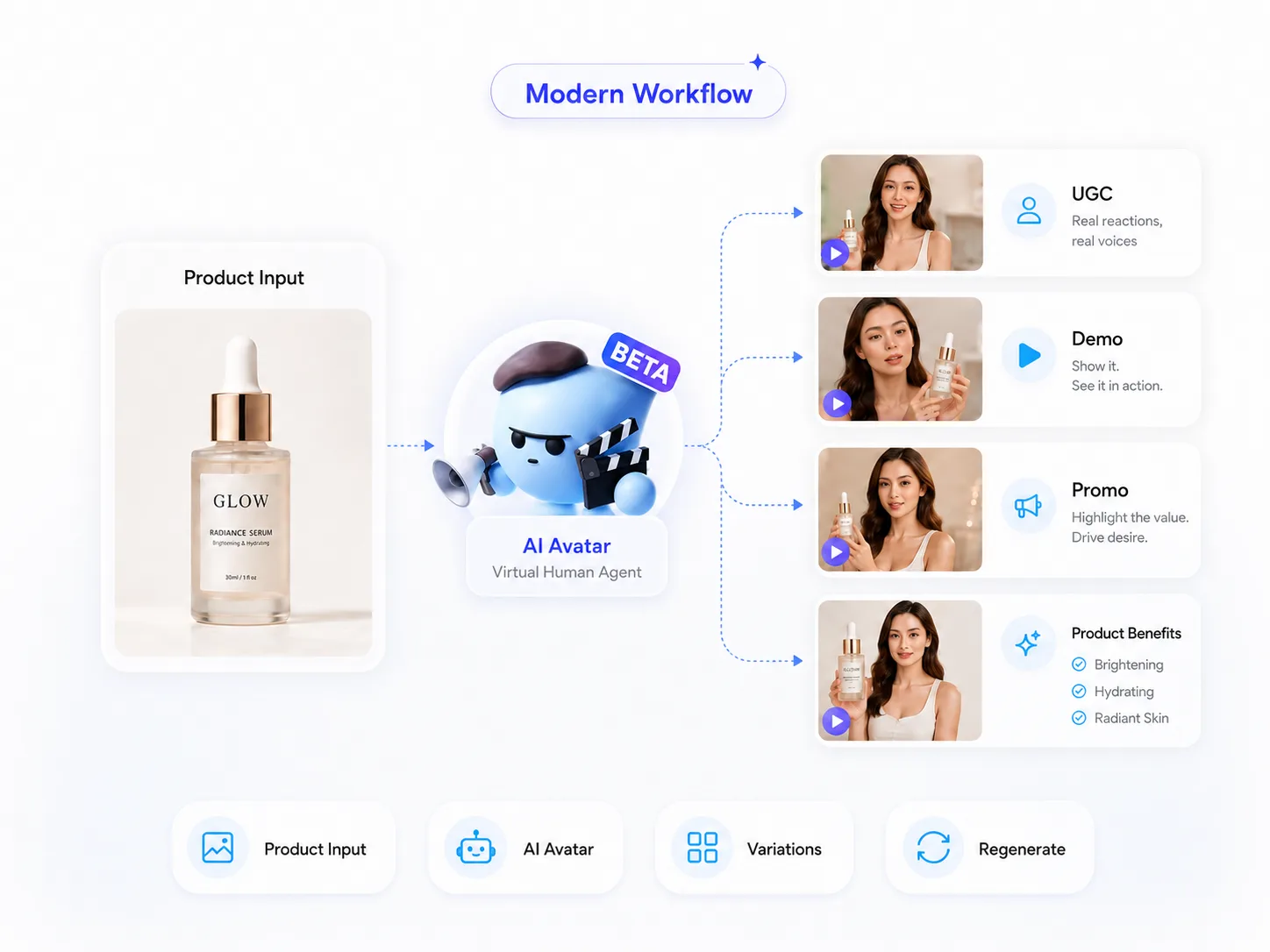
From One Product Photo to Multiple Avatar Ads
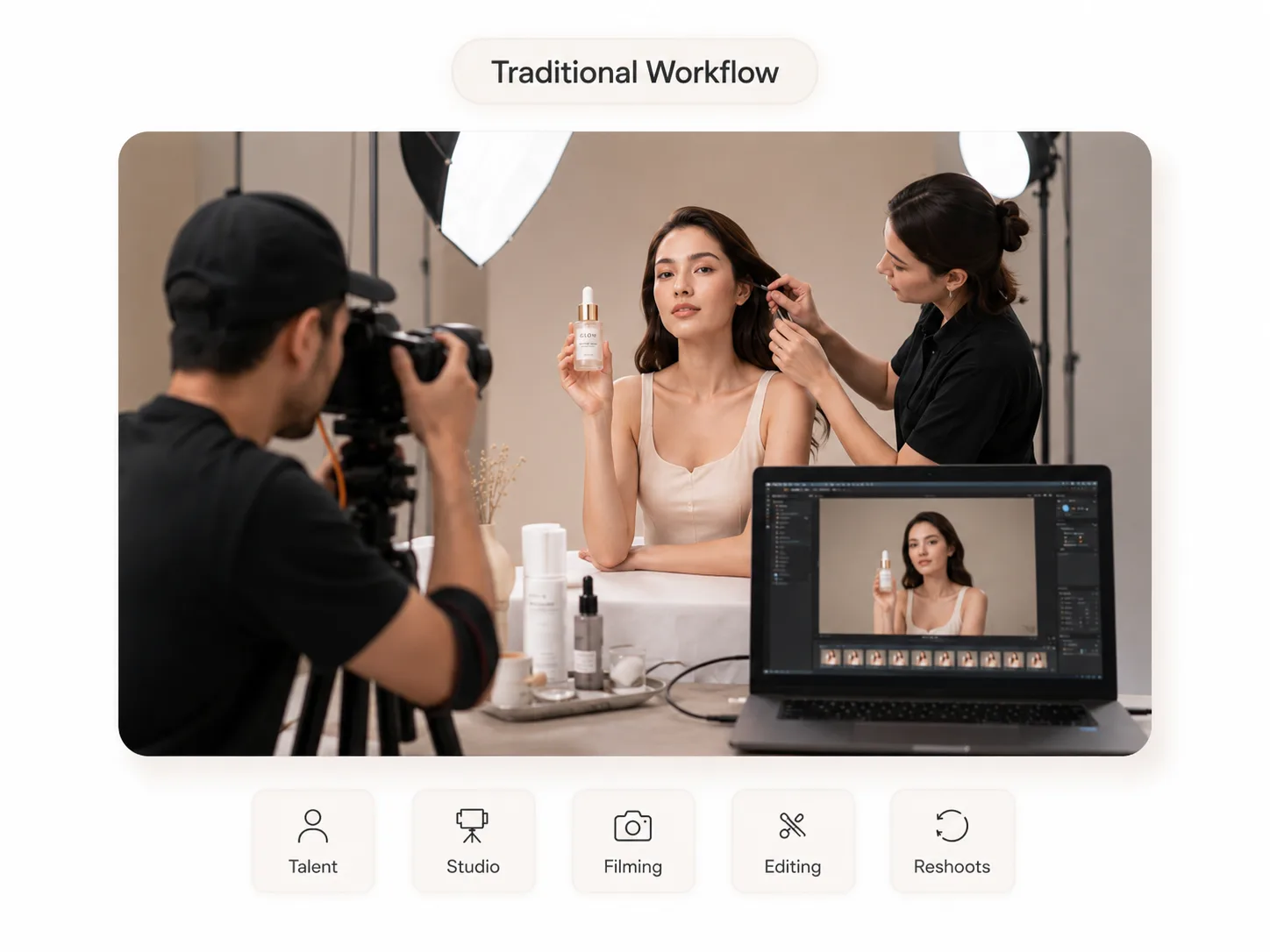
Upload a product image or campaign reference, then create UGC clips, demos, spokesperson videos and campaign variations without hiring talent, booking a studio or repeating a shoot.
Why ImaStudio Can Be the Stronger JoggAI Alternative
The strongest reason to choose ImaStudio is not that it replaces every specialized video tool. It is that it gives product teams more creative surface area in one workspace.
More than avatar video
Create product ad videos, but also handle adjacent image edits, product visuals, enhancement and ecommerce assets.
Built for creative variation
Move quickly from one input to several campaign directions, so marketers can test hooks, styles and formats faster.
Community and examples
Use public examples and showcase content as inspiration when planning product, social and campaign assets.
JoggAI Alternative FAQs
Short answers for teams comparing JoggAI with broader AI avatar ad tools and creative studios.
Is ImaStudio a JoggAI alternative?
Yes. ImaStudio can be used as a JoggAI alternative when your goal is to create AI avatar product ads. It is broader than a single video workflow because it also includes image tools, ecommerce agents and community examples.
Which is better for AI avatar product videos?
Both can be relevant for avatar product videos. JoggAI is more focused on avatar video production, while ImaStudio is better when product videos need to sit alongside product photos, posters, editing workflows and other campaign assets.
Does ImaStudio support UGC-style product ads?
Yes. ImaStudio's AI Avatar Video Generator is designed for UGC-style clips, product demos, spokesperson videos and lifestyle ad directions from product references.
Why choose a broader studio instead of a focused video tool?
A broader studio helps when the same product launch needs many asset types: videos, still images, edited visuals, campaign variations and examples for creative planning.
Should I still evaluate JoggAI if I need an alternative?
Yes. If your team only needs avatar videos, evaluate both tools with your real product assets. If you need a connected creative workspace, ImaStudio is likely the more flexible option.
Explore more AI tools and creative examples
Try the JoggAI Alternative in ImaStudio
Start with one product image and explore avatar video directions, campaign visuals and supporting creative assets in one workspace.
Try ImaStudio