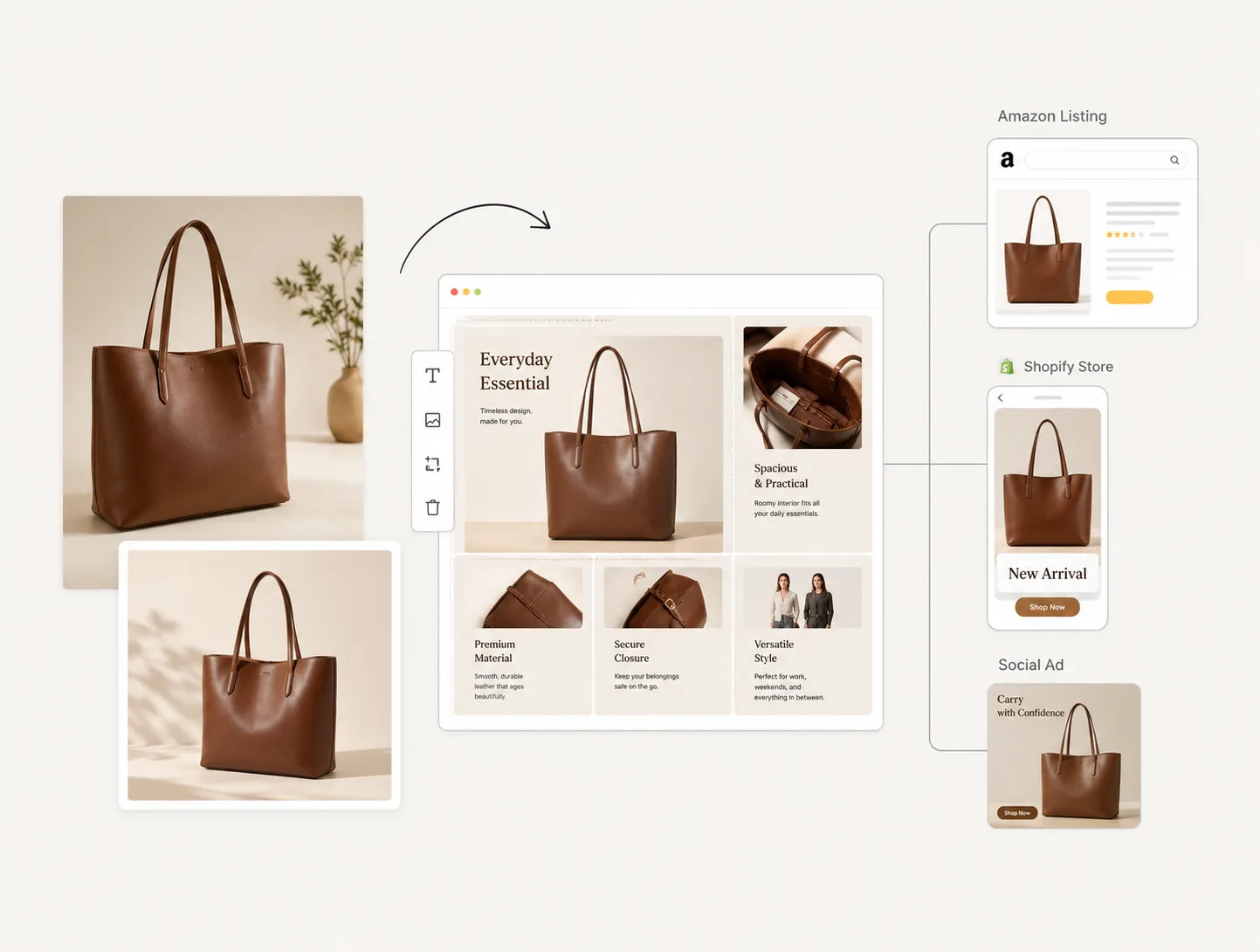
AI Product Detail Page Generator
Turn product photos, benefits, and platform requirements into a complete ecommerce detail page image set. Generate hero modules, benefit graphics, comparison visuals, usage scenes, and editable PDP blocks for Amazon, Shopify, TikTok Shop, and product landing pages.
Made with this tool
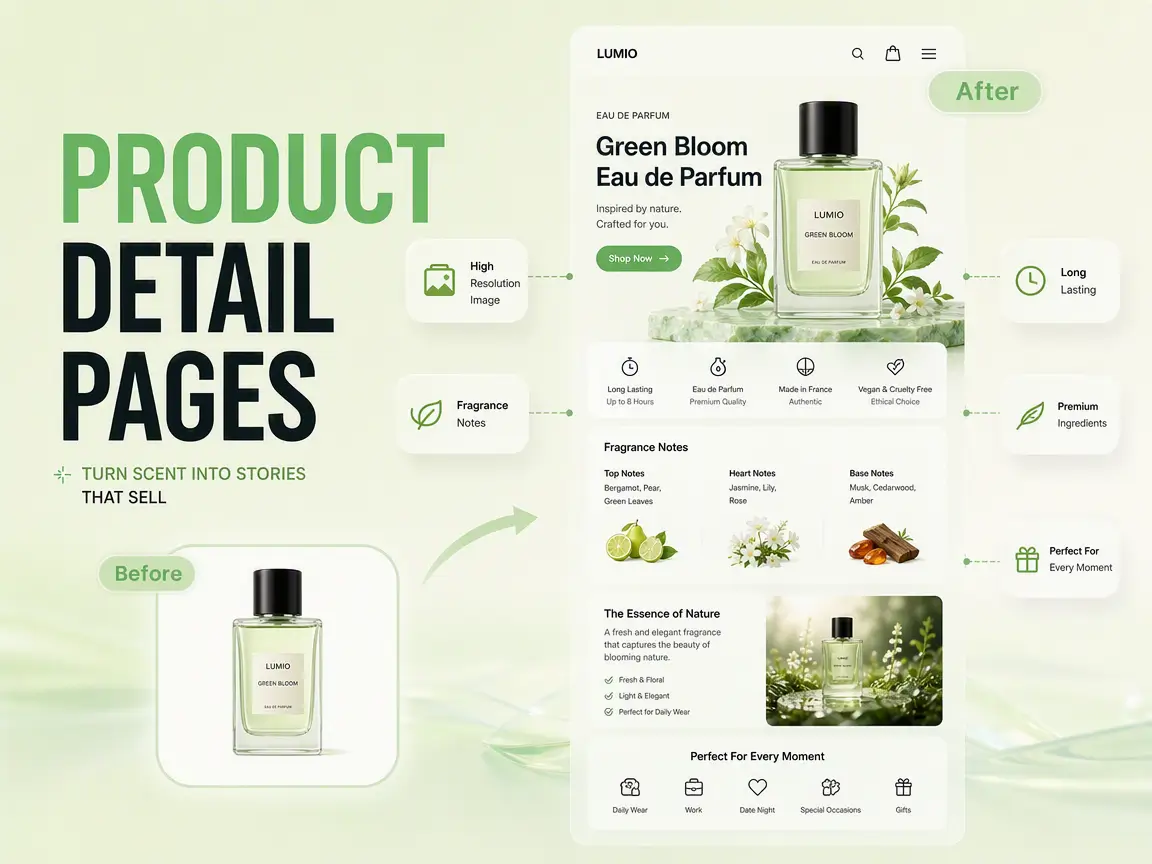
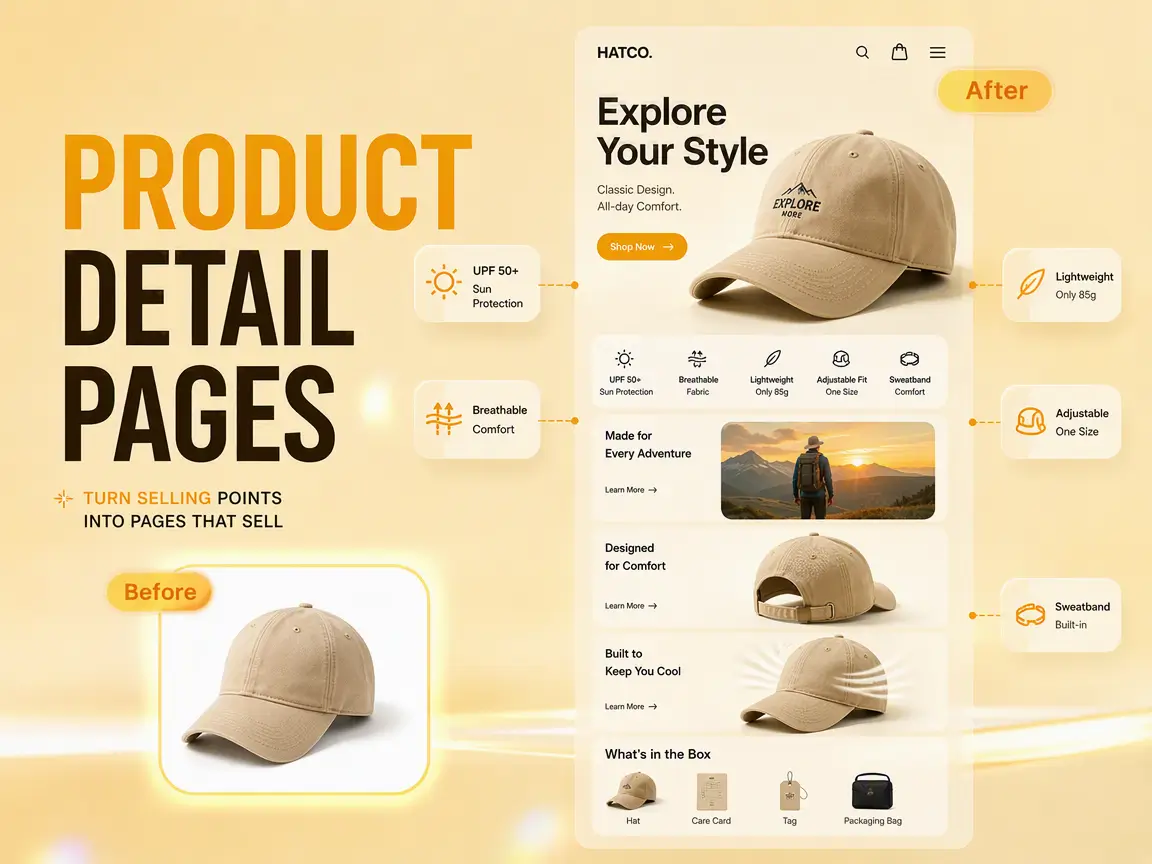
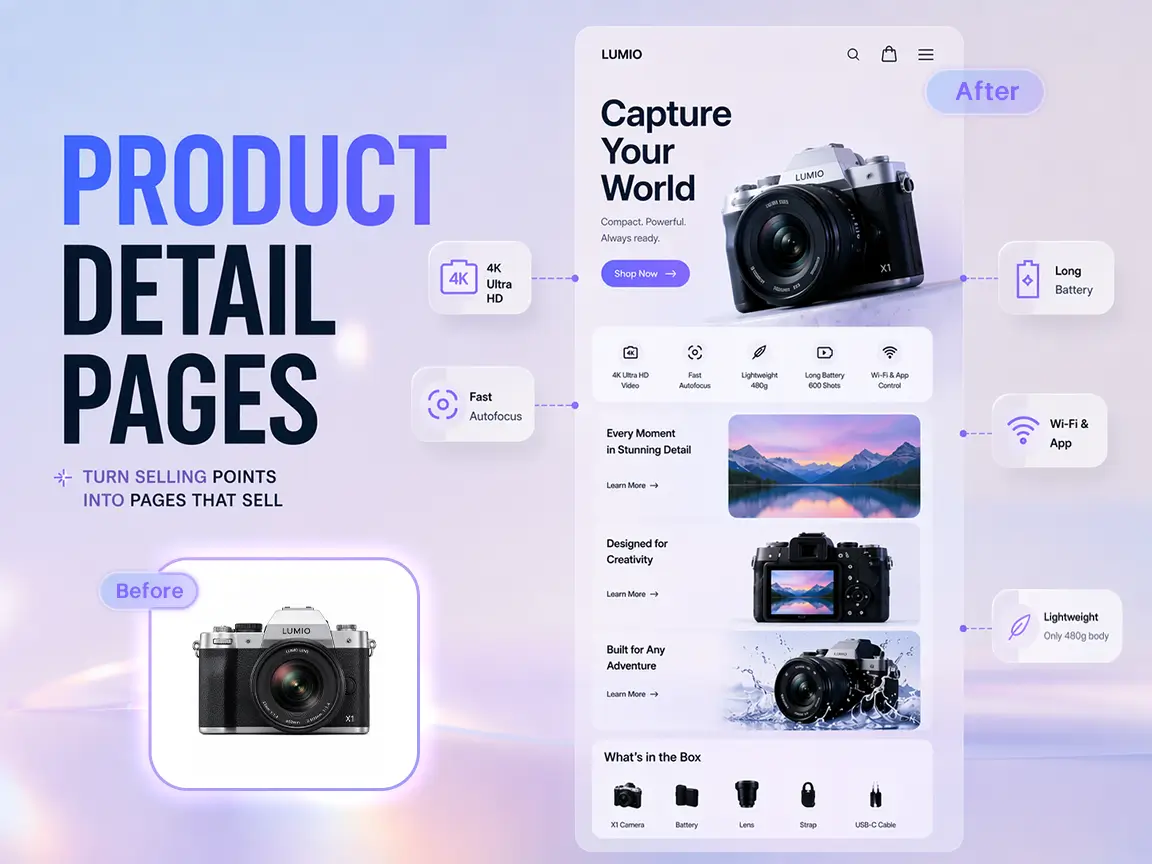
Explore Product Detail Page Examples From Ima Studio Community
Browse product listing modules, ecommerce infographics, benefit hierarchy examples, and PDP visual structures from the community. Open any card to inspect the prompt and adapt the layout idea for your own product page.
How to Create AI Product Detail Page Images
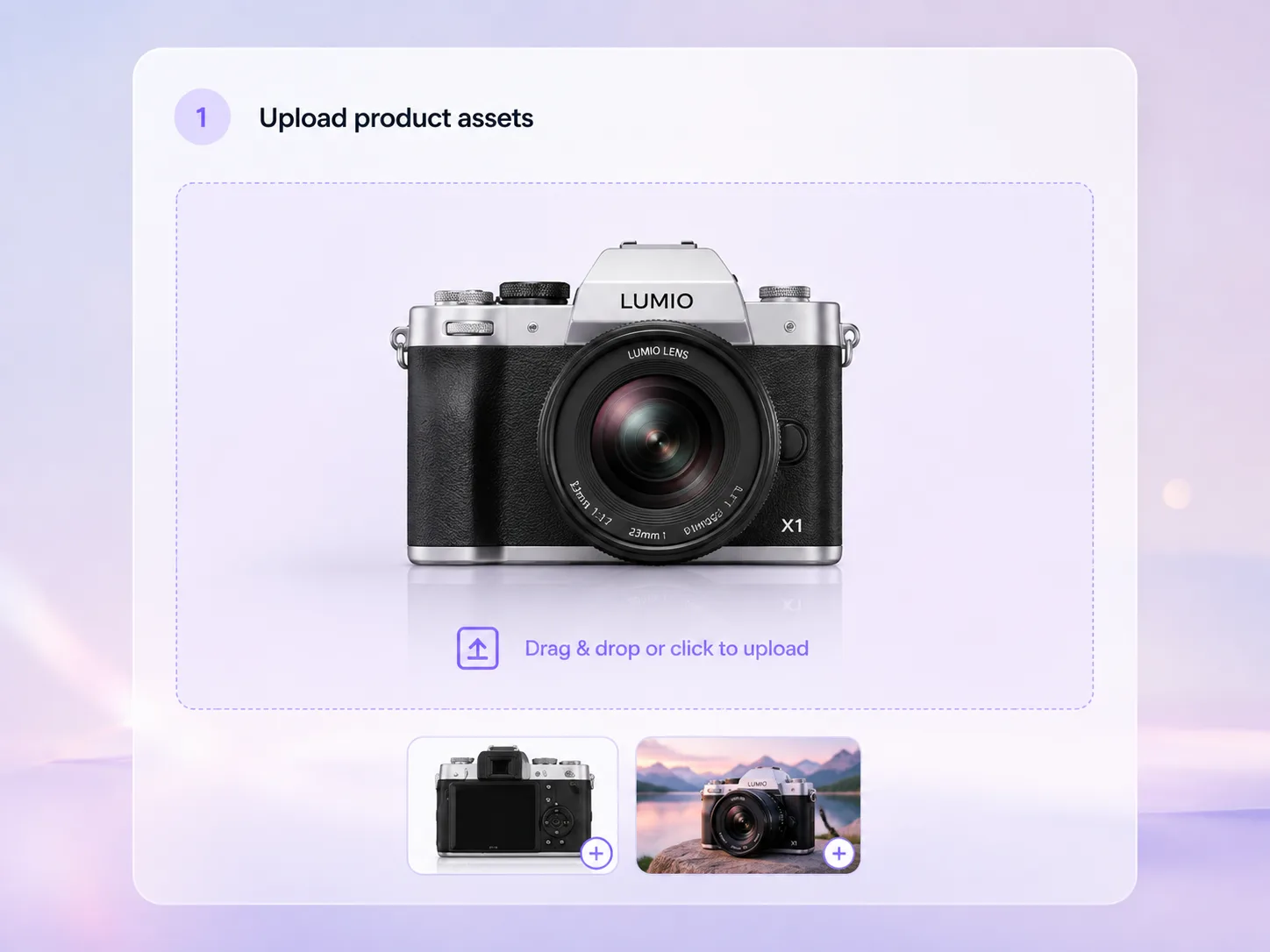 Step 1Upload product assets
Add product photos, packshots, packaging, closeups, lifestyle references, or competitor layout references. Clear source assets help preserve product identity while giving the page enough material to explain the offer.
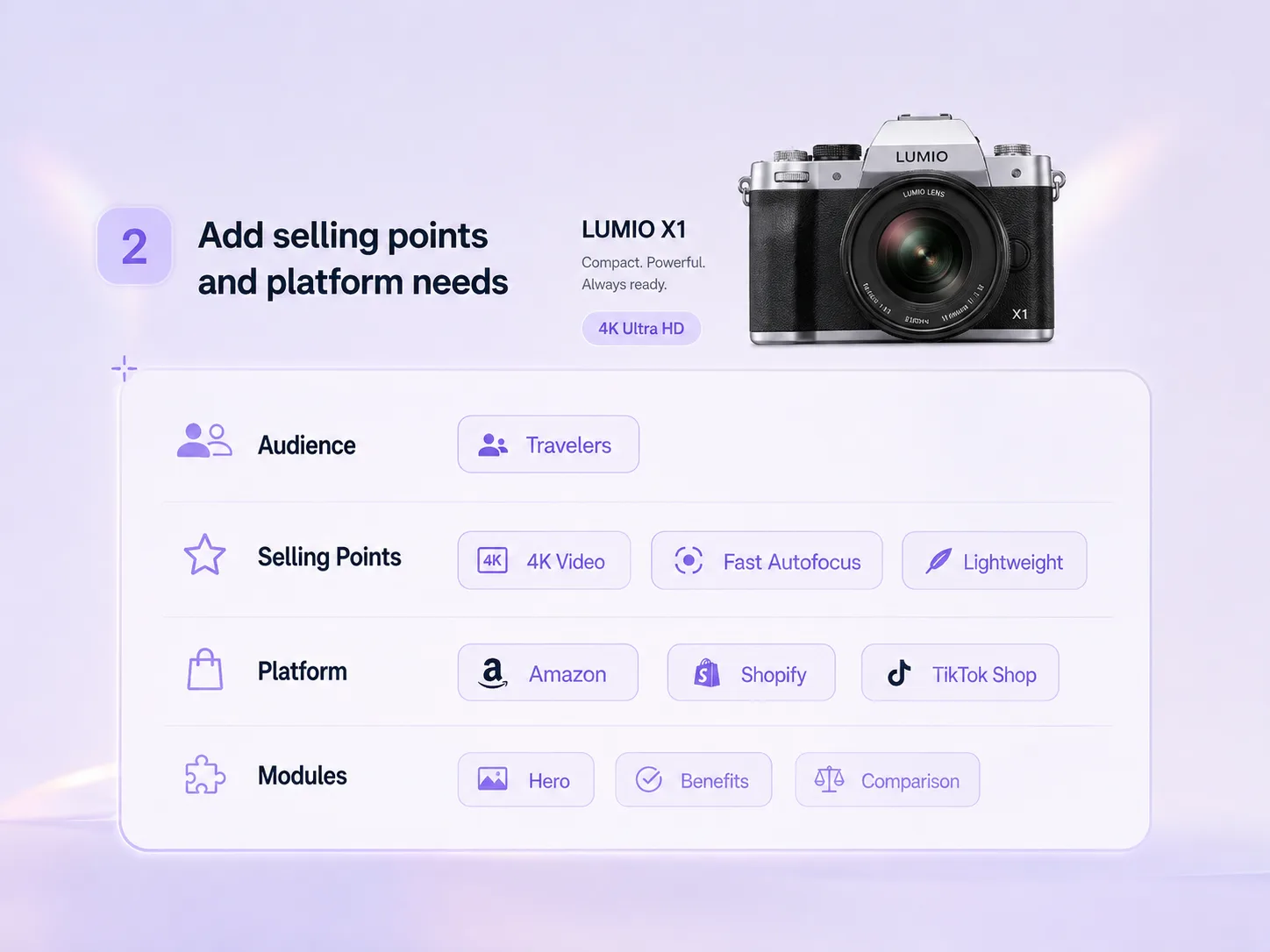 Step 2Add selling points and platform needs
Describe the audience, buyer pain points, benefit hierarchy, proof points, platform, language, module list, and claims that must stay accurate. This turns loose product notes into a usable ecommerce content brief.
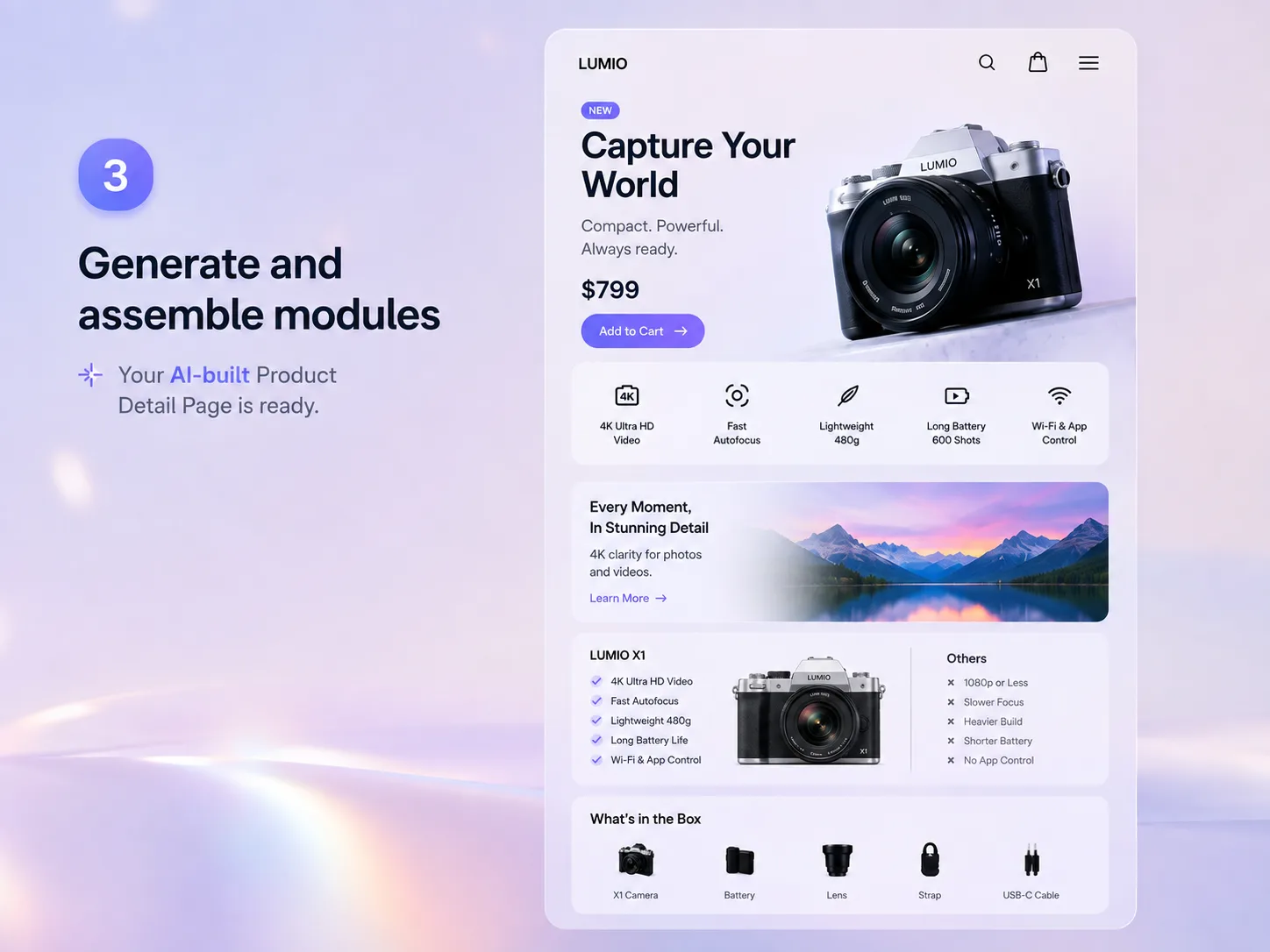 Step 3Generate and assemble modules
Generate hero visuals, benefit cards, comparison blocks, how-to sections, specification callouts, and lifestyle modules, then refine copy, crops, spacing, and exports in the canvas.
Build a Complete Ecommerce Detail Page From One Product Brief
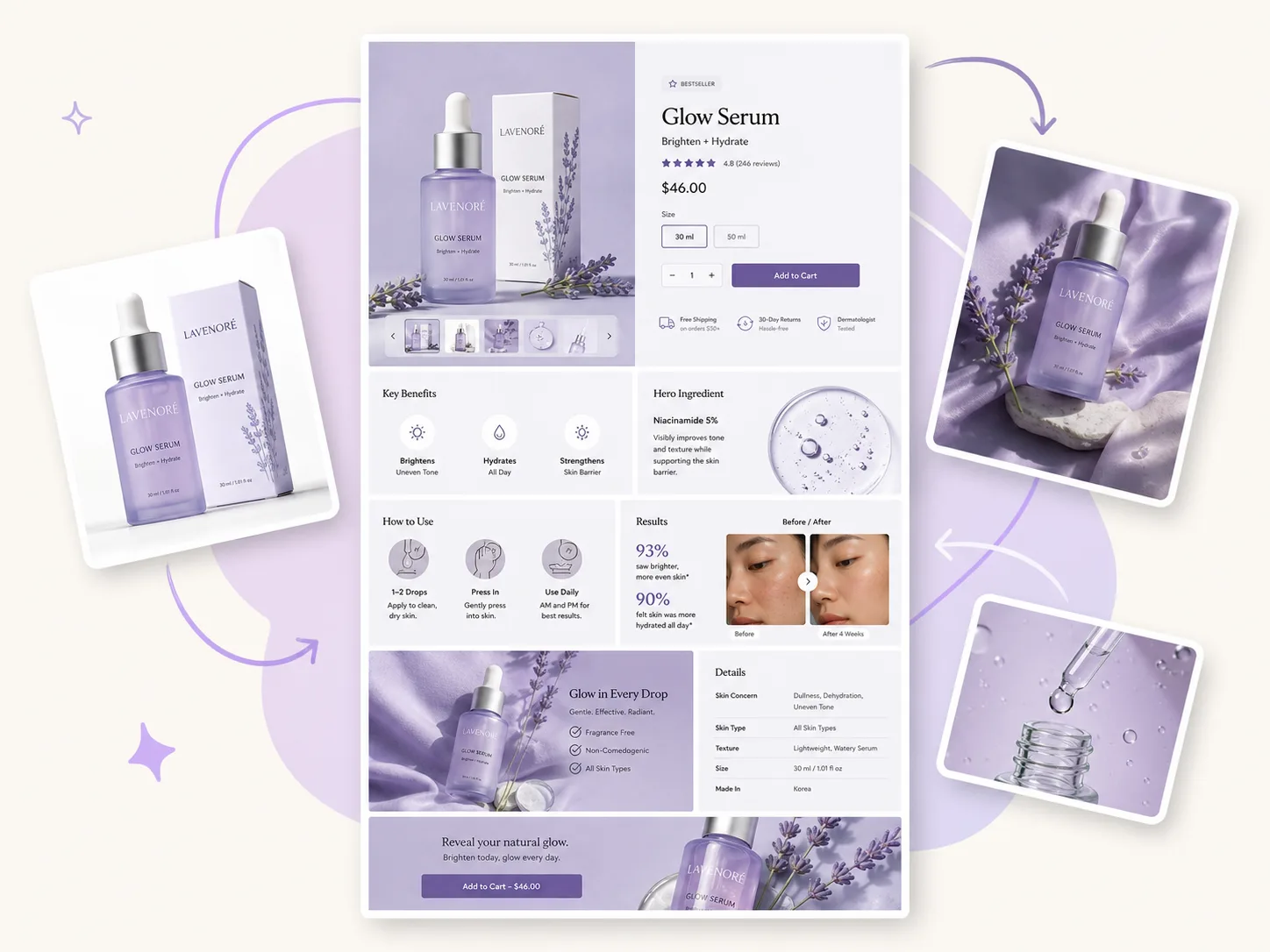
Create a full PDP module system
Product detail pages need more than one attractive image. Use Ima Studio to turn a product photo and selling points into a connected set of hero images, benefit tiles, usage explainers, ingredient or material callouts, comparison sections, social proof blocks, and lifestyle visuals. The result gives shoppers a clearer path from first impression to purchase decision.
Create product photos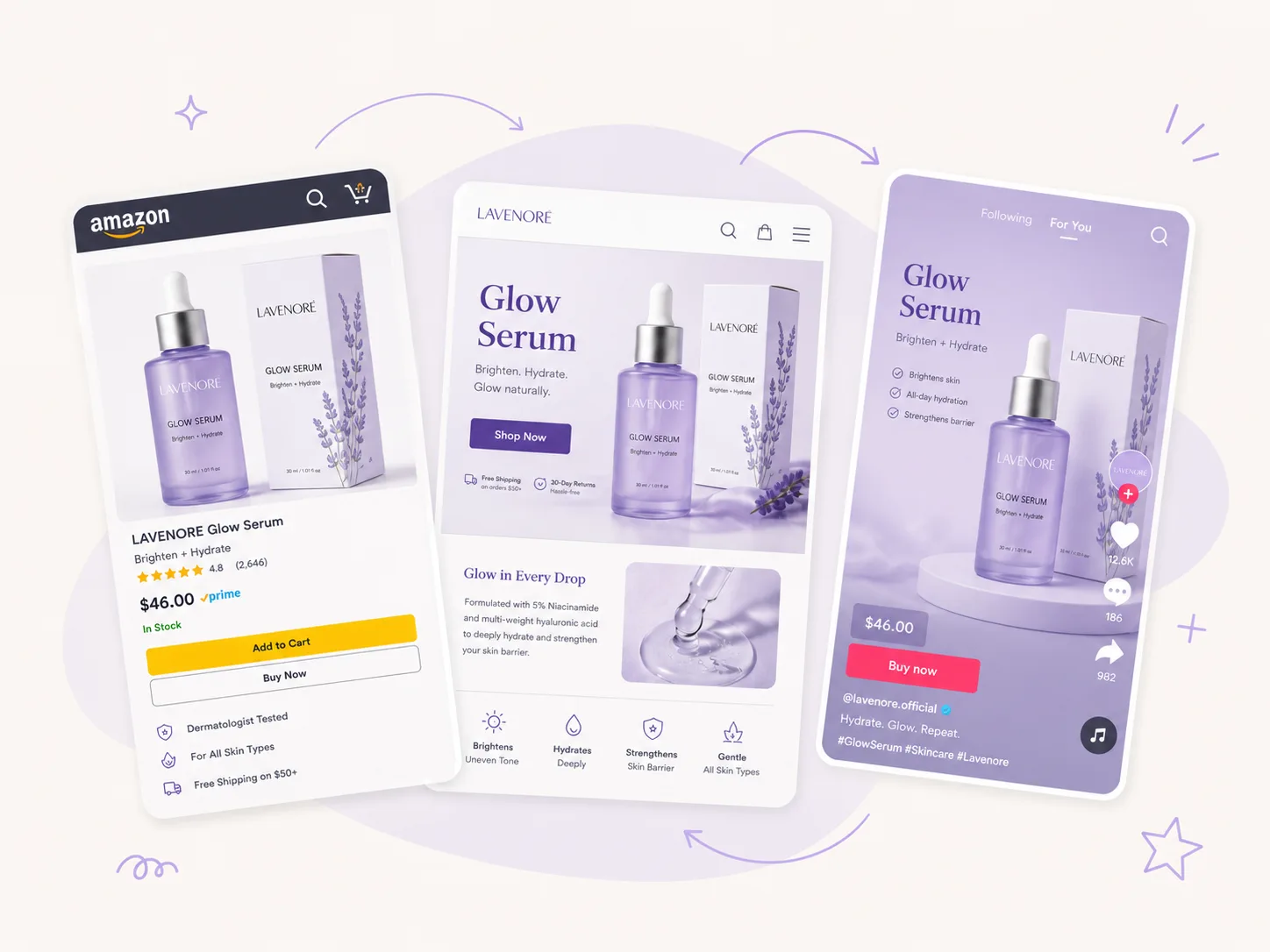
Shape content for Amazon, Shopify, and TikTok Shop
Each ecommerce channel has a different way of selling. Build Amazon-style listing graphics, Shopify PDP sections, TikTok Shop product story blocks, marketplace comparison images, and localized landing page modules from the same core brief. Move into AI Product Poster Generator when the page needs launch banners, offer badges, or seasonal campaign creatives.
Design product posters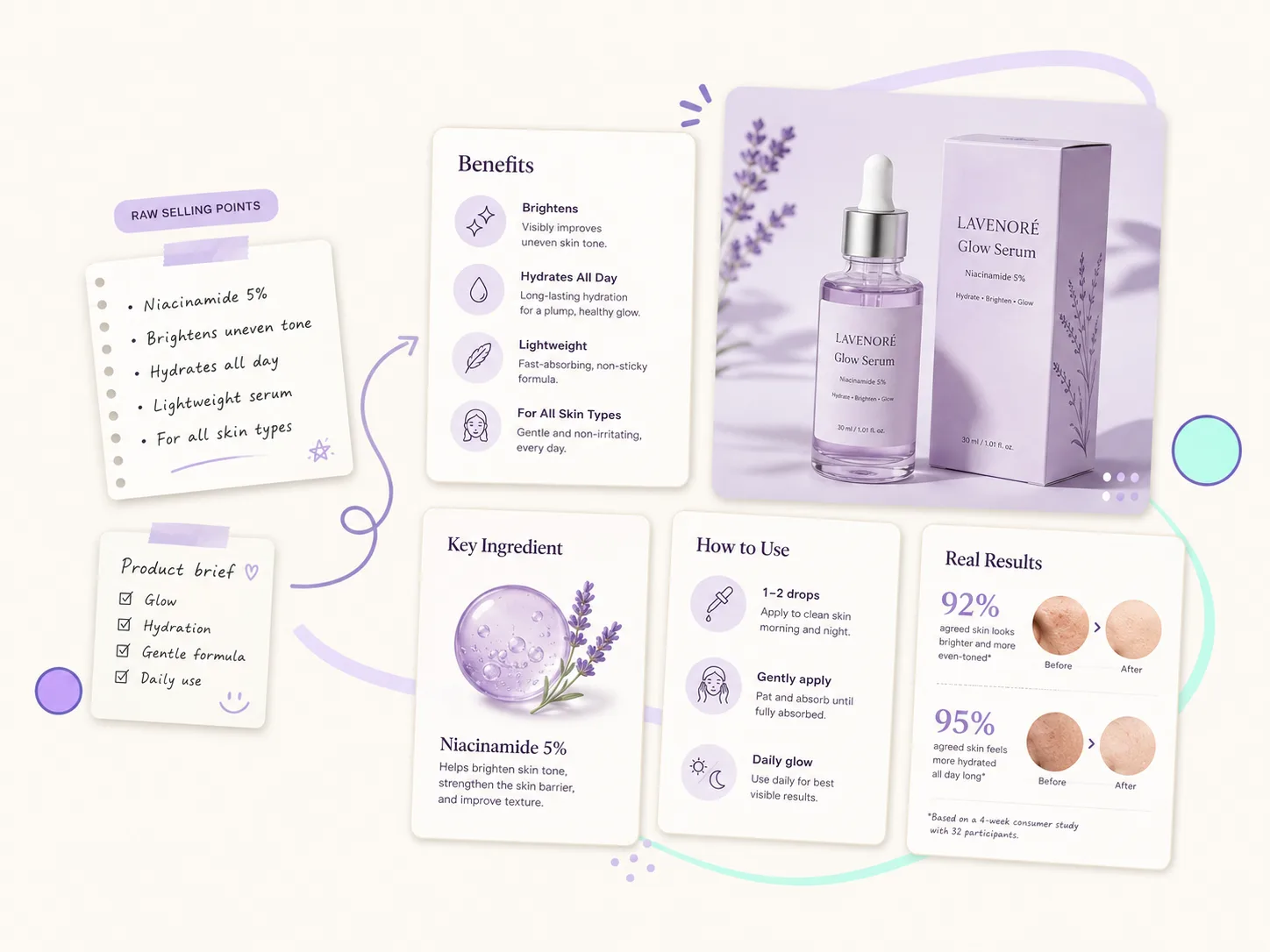
Turn raw selling points into buyer-friendly visuals
Paste rough product notes, feature lists, audience details, proof, and objections, then guide the AI toward clear visual hierarchy: problem, solution, benefit, usage, proof, comparison, and CTA. This helps ecommerce teams explain the product without asking shoppers to read a dense paragraph.
Create ecommerce ads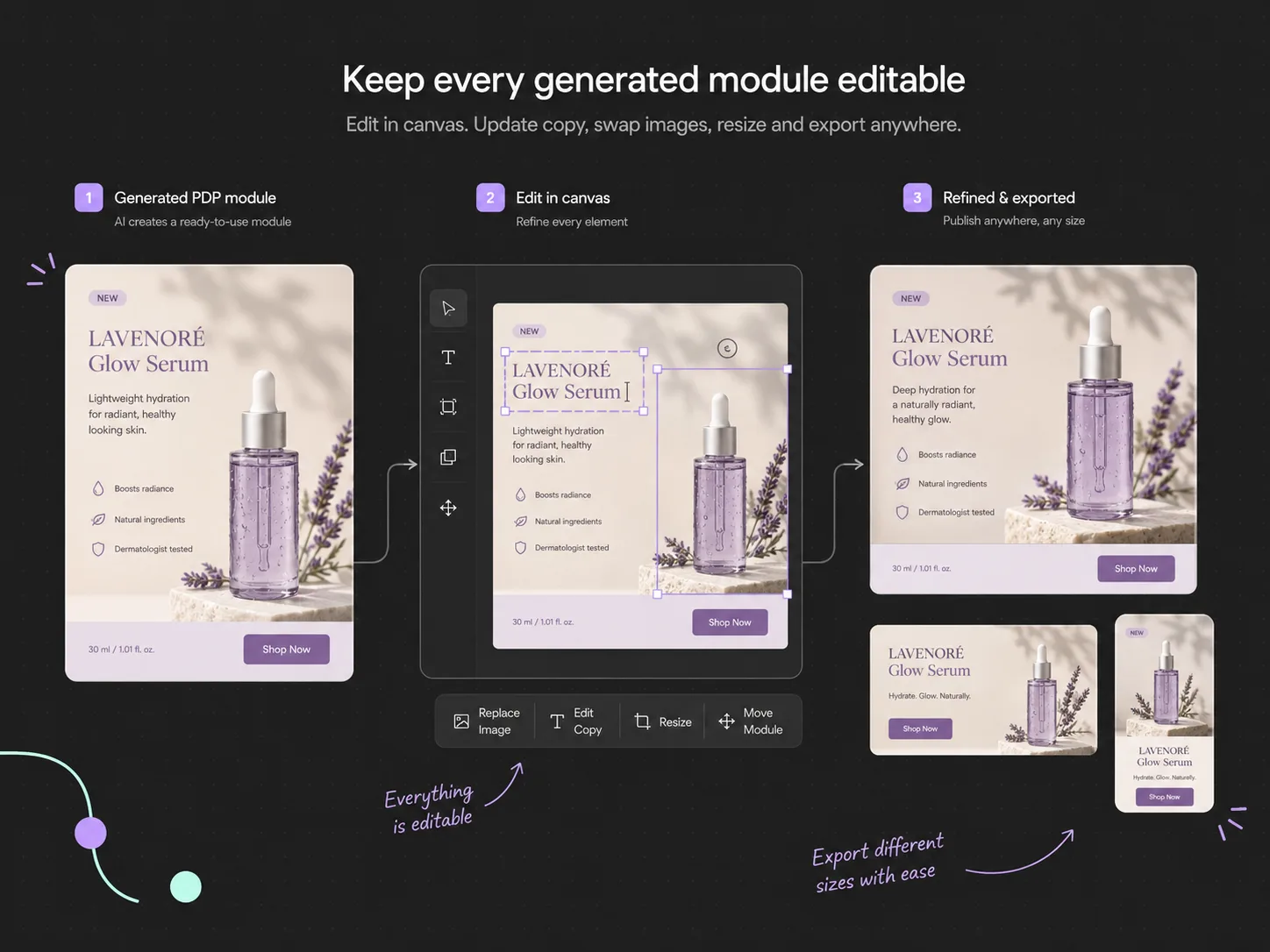
Keep every generated module editable
Generated listing modules rarely finish in one pass. Continue in the canvas to update copy, replace images, adjust safe areas, crop for platform sizes, remove weak sections, and build related ad or storefront assets from the same visual direction.
Edit in canvasWhy Choose Ima Studio for Product Detail Pages?
Product detail pages convert when visual information feels organized, accurate, and easy to compare. Ima Studio connects product inputs, AI generation, canvas editing, and adjacent ecommerce tools so teams can create a more complete PDP workflow instead of isolated images.
Clearer buyer education
Explain value, usage, features, proof, and comparison points visually so shoppers understand the offer before they leave the page.
Faster listing production
Generate multiple ecommerce modules from one product brief and reduce the time spent designing every listing graphic from scratch.
Reusable visual systems
Standardize layouts, benefit blocks, icon treatment, comparison logic, and visual hierarchy across a product line or storefront.
Editable from start to finish
Keep generated modules editable in canvas so your team can adjust wording, spacing, crops, platform formats, and follow-up campaign assets.
6+PDP module types
4Common ecommerce platforms
1Brief to editable visual set
AI Product Detail Page Generator FAQs
Explore more AI tools and creative examples
Build Product Detail Page Images Faster
Upload product assets, add selling points, and generate editable ecommerce modules for listings, storefronts, ads, and landing pages with room for proof, comparison, and conversion copy.