推薦使用場景
為創作者、電商與營銷團隊簡化最常見的視覺任務。 不只是單點工具,這些一體化工作流能更快交付可直接使用的素材。
 AI 生成
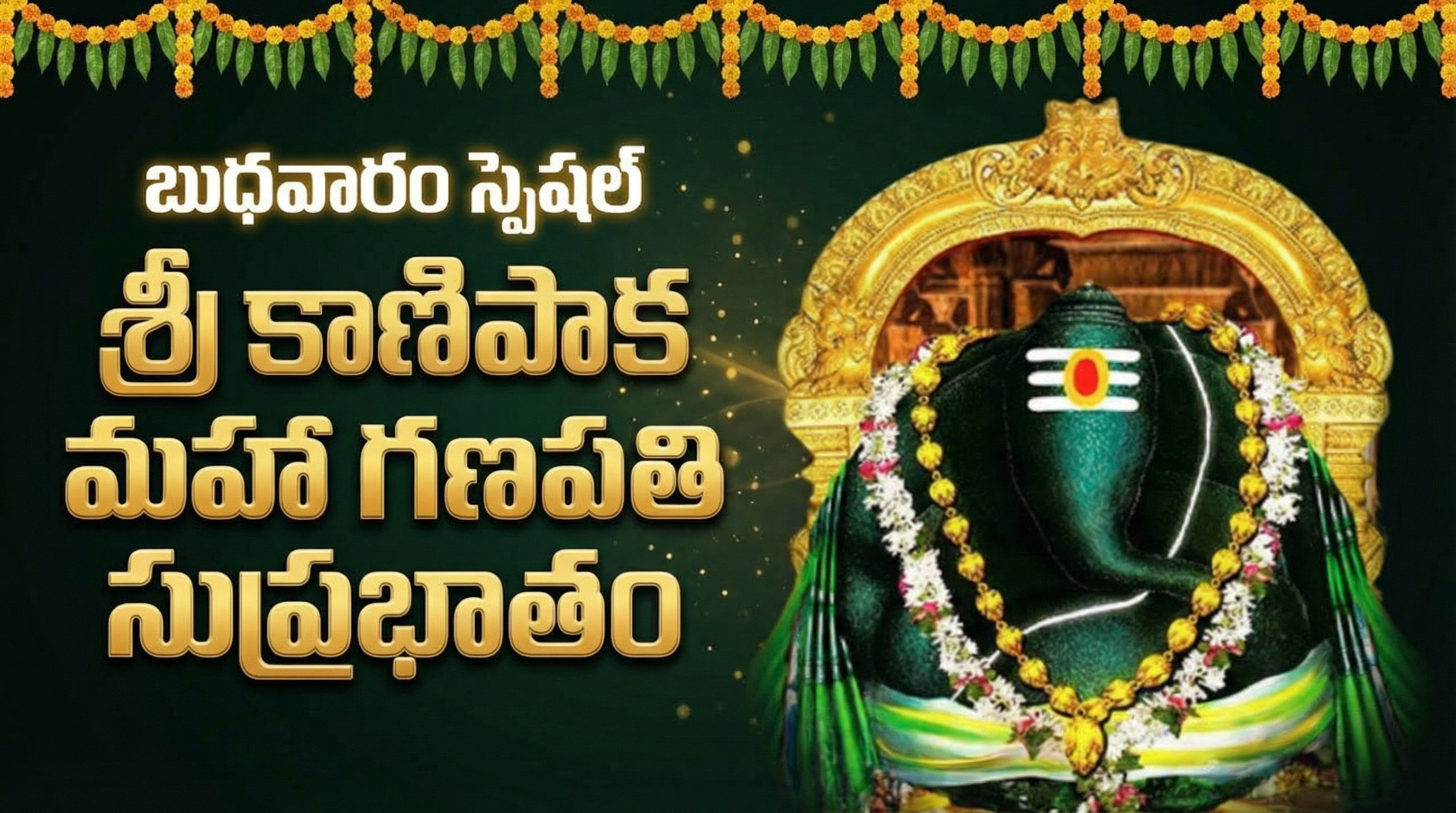
AI 生成In this thumb Text Should Be Place Left And Image Sould Be Place Right And గణపతి Replace With మహా గణపతి
 AI 生成
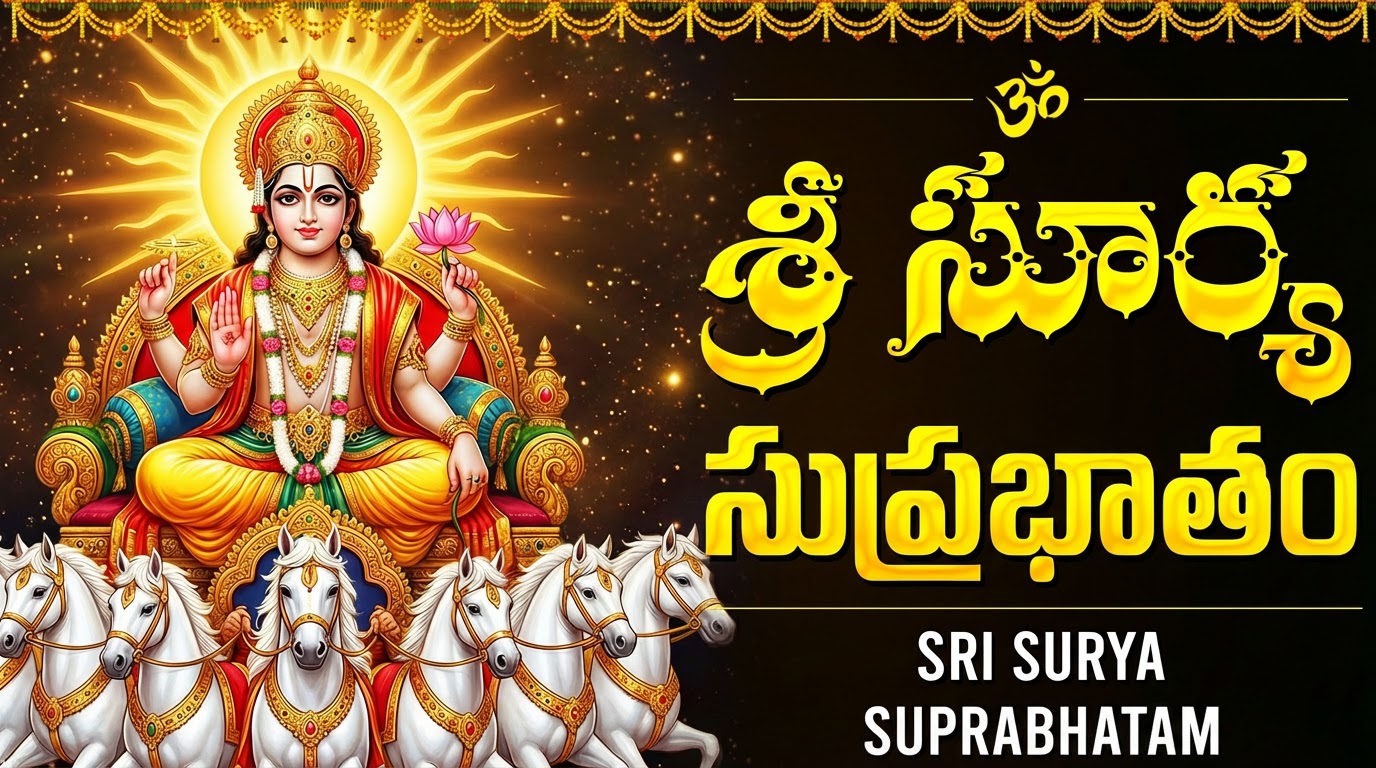
AI 生成here i given thumbnail so in that thumb Replace Given Image Or that type of Image More Attractively understand my intension and generate thumb శ్రీ సూర్య సహస్రనామమం Replace With శ్రీ సూర్య సుప్రభాతం SRI SURYA SAHASRANAMAM Replace With SRI SURYA SUPRABHATAM
 AI 生成
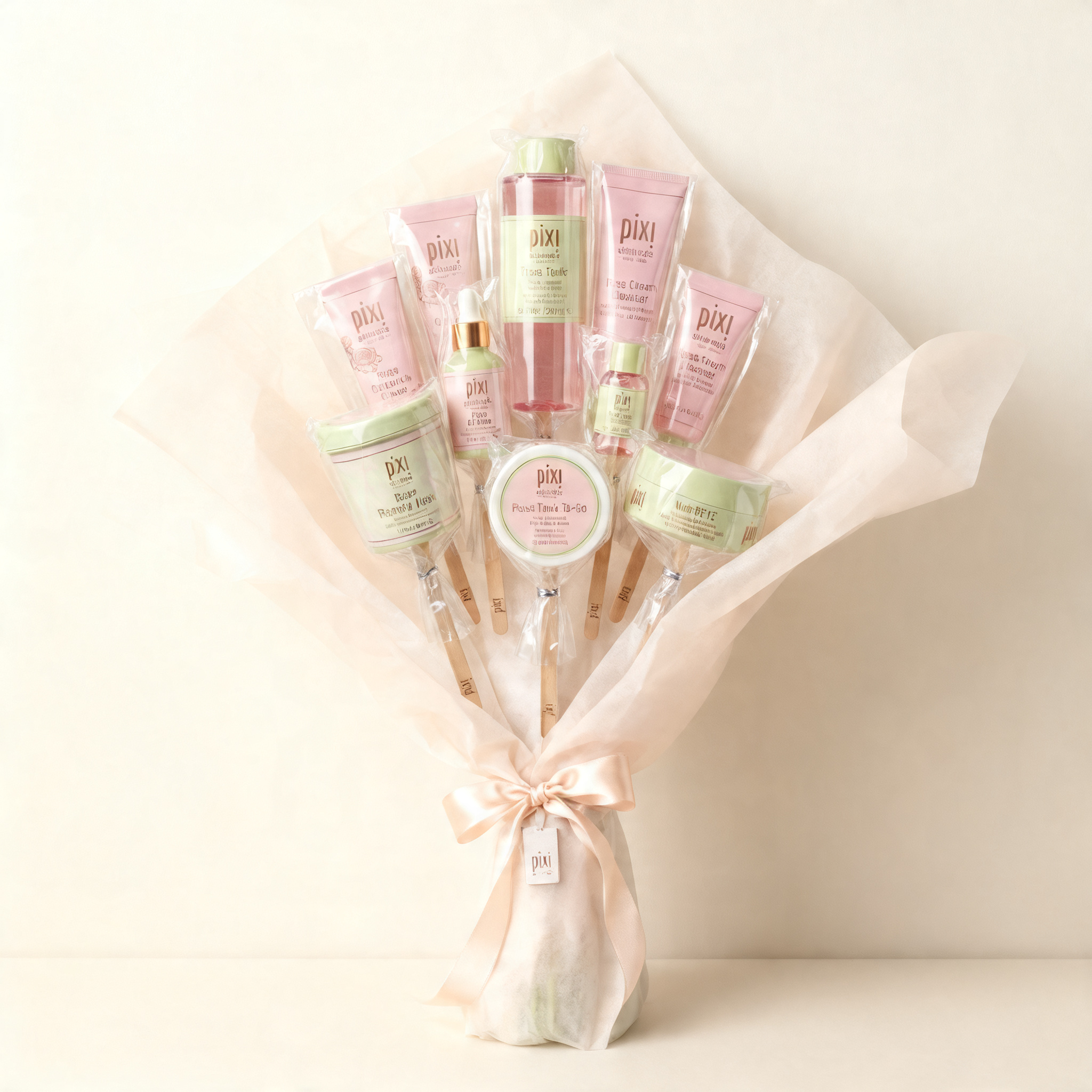
AI 生成Create a minimalist product-style image featuring the subject from the reference image arranged as a bouquet composed of multiple vertically aligned elements clustered together. Preserve the subject’s original silhouette, structure, and material characteristics from the reference image, including realistic texture and form cues. Wrap the clustered arrangement in soft, semi-opaque paper that flares outward at the top and cinches tightly at the base, with the bouquet structure clearly readable (top flare and cinched base). Ensure individual elements appear partially wrapped or supported with subtle layering and depth, and maintain believable density and layering of internal elements. Add a satin ribbon tied around the base where the wrap gathers, with refined, minimal branding by placing the pixi logo subtly on the ribbon or on a small attached tag near the knot. Center the bouquet against a clean, neutral wall background with no additional props or environmental clutter, using a straight-on, eye-level camera angle and medium framing that shows the full bouquet from base to top flare with slight breathing room around the edges. Use soft diffused ambient lighting with low contrast, gentle highlights on glossy and crinkled surfaces, and no harsh shadows. Maintain a cohesive, soft-toned color palette. Output images only, no text.
 AI 生成
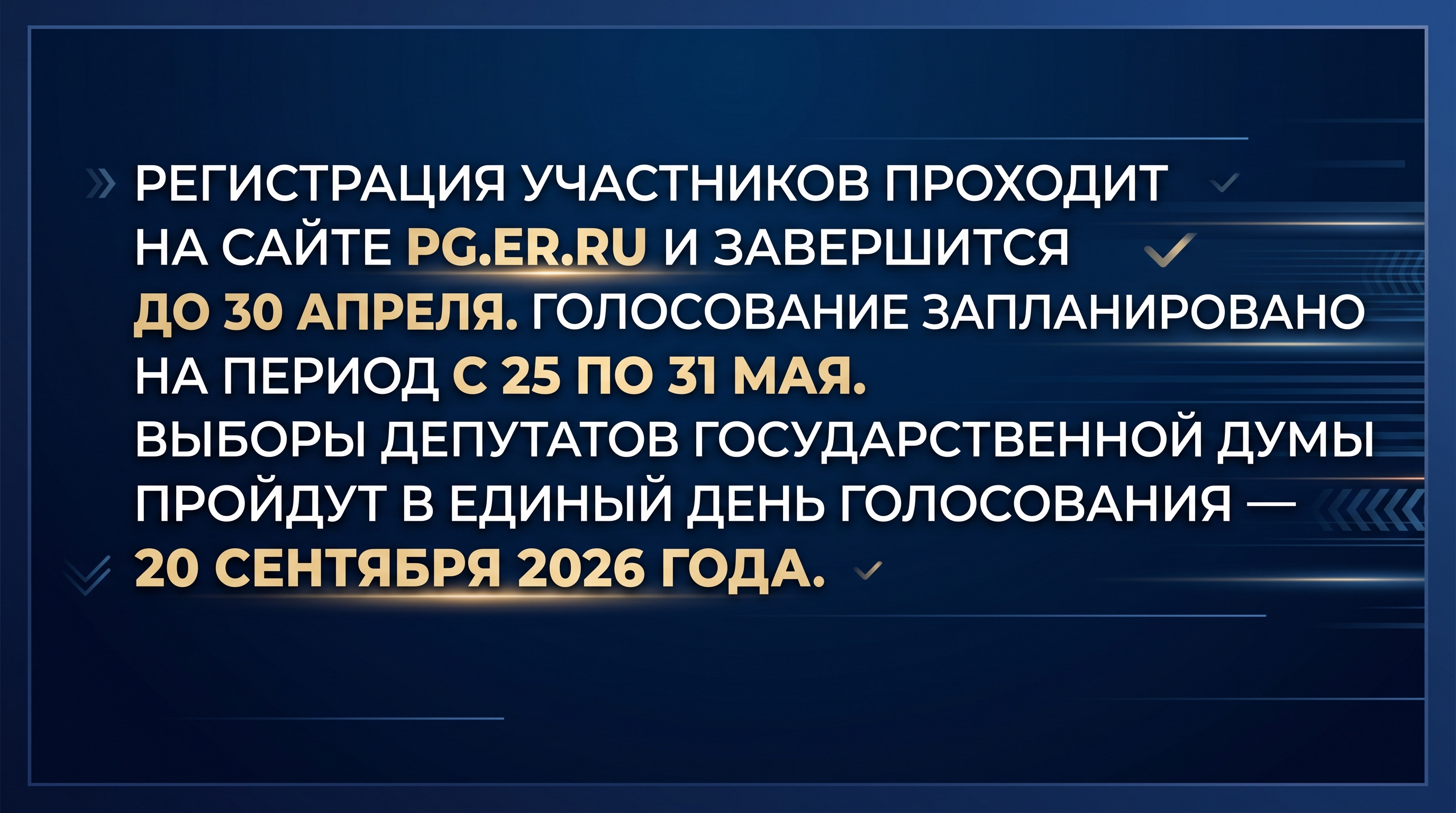
AI 生成политический баннер, формат 16:9 темно-синий фон с градиентом, создающим ощущение глубины, и тонкими горизонтальными линиями, уходящими вправо, добавляющими динамику и современность.. c текстом: Регистрация участников проходит на сайте pg.er.ru и завершится до 30 апреля. Голосование запланировано на период с 25 по 31 мая. Выборы депутатов Государственной думы пройдут в единый день голосования — 20 сентября 2026 года. Текст расположен в центре баннера, четко выделяясь на фоне, с акцентом на важные даты, чтобы привлечь внимание зрителя.
 AI 生成
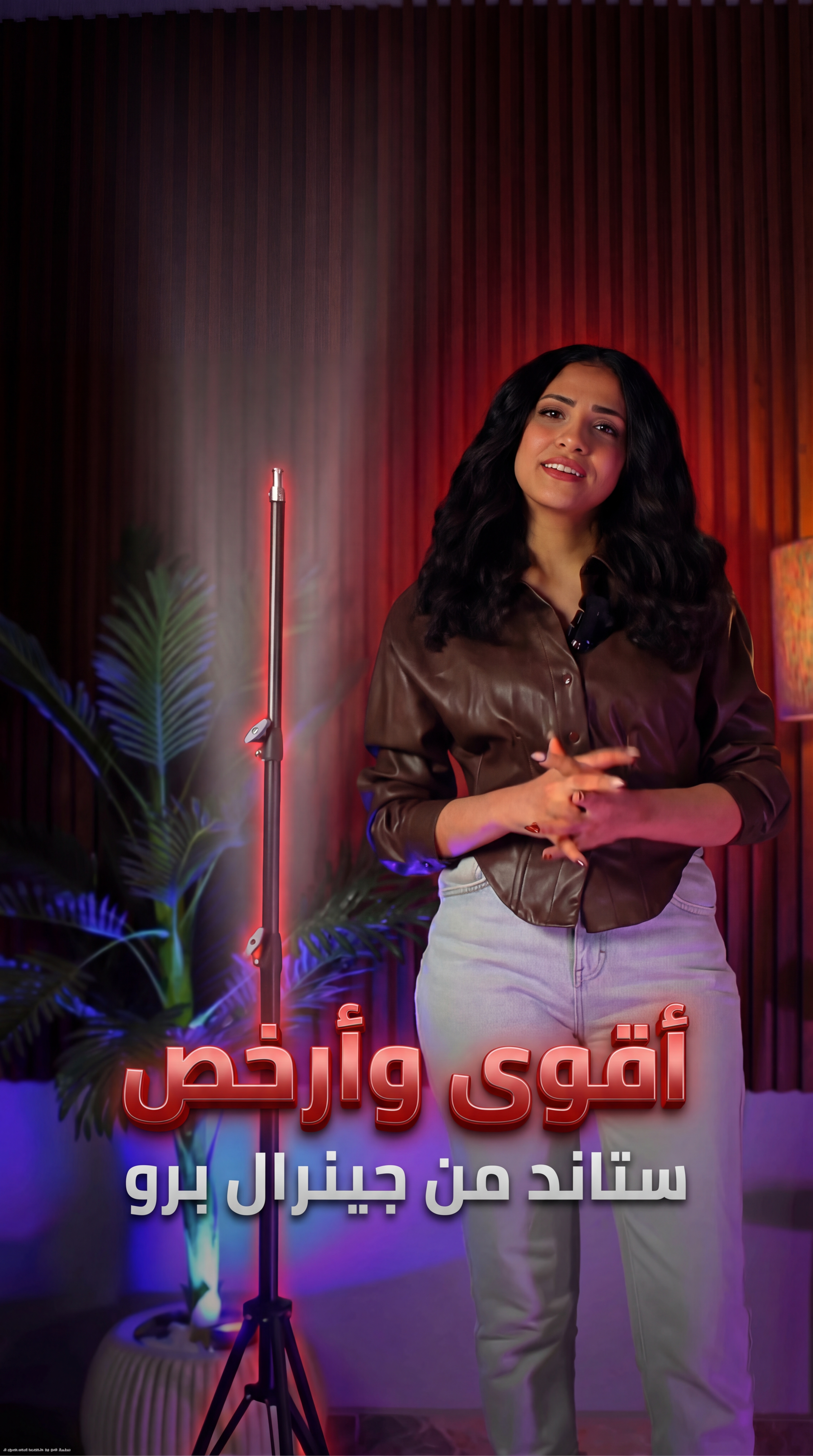
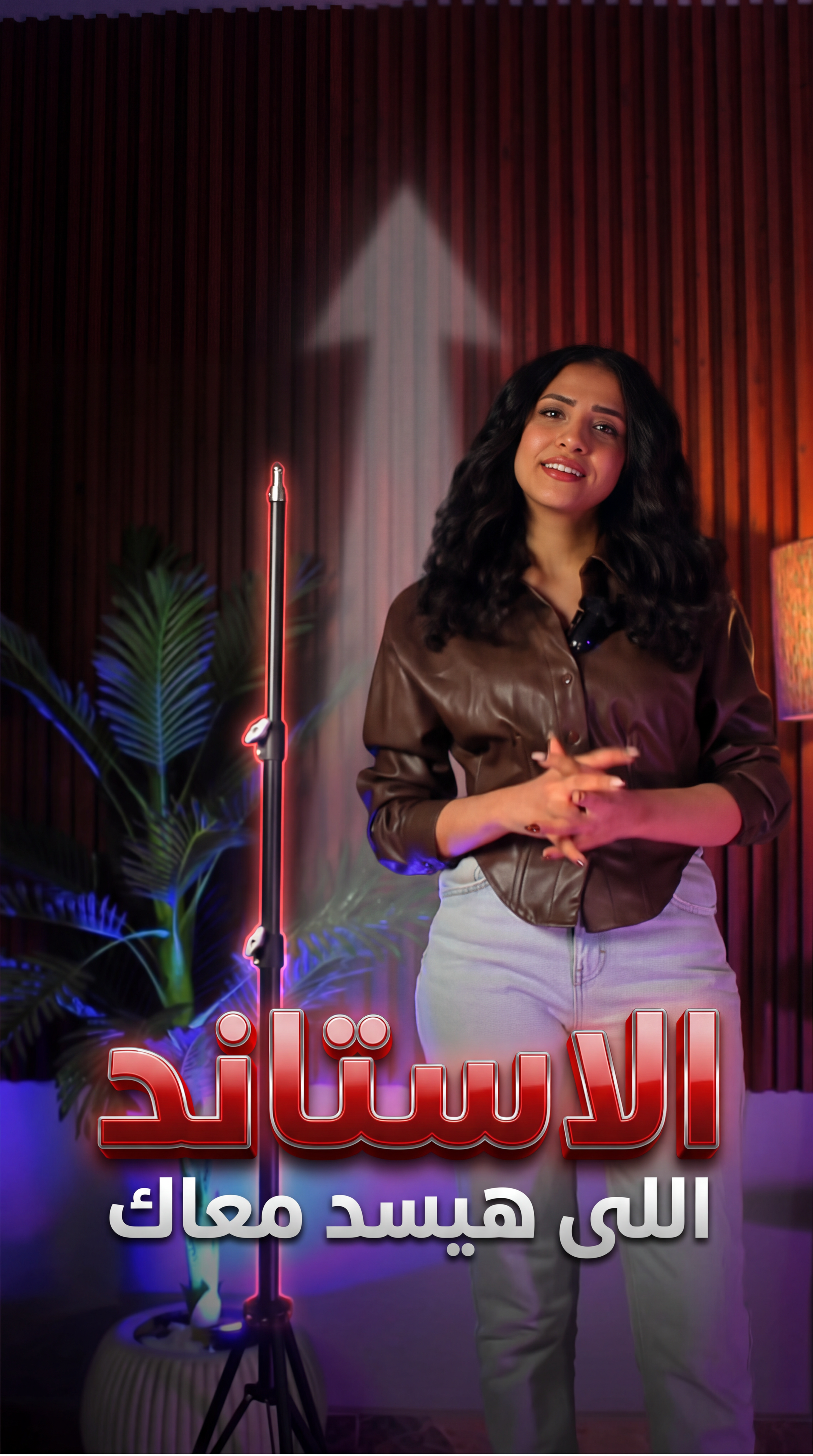
AI 生成Use the original uploaded image exactly as it is. Do NOT change the girl’s face, facial features, skin tone, expression, body shape, pose, clothes colors, or lighting structure. Do NOT alter camera angle or crop. Keep original 9:16 vertical ratio. Create a professional reel thumbnail design using the same image. Enhance only with high-end retouch: - Subtle skin smoothing without changing texture - Sharpen eyes slightly without modifying shape - Increase overall clarity and contrast - Professional cinematic color grading - Add soft red brand glow lighting accents in the background - Add light depth blur to background only (keep subject sharp) Make the lighting stand more visually important: - Add subtle red glow outline around the lighting stand - Add soft highlight reflection on the stand metal - Slight vignette to focus attention Add bold Arabic typography: Main headline: "الاستاند اللى هيسد معاك" Make the word: "الاستاند" Very large, bold, dominant, 3D metallic red gradient text with strong drop shadow and glow. Place it in lower third center. Make: "اللى هيسد معاك" Smaller, clean white or light gray modern font above or below main word. Add subtle upward arrow or light beam effect behind the stand to symbolize strength and reliability. Style: High contrast Premium reel cover Strong depth Modern social media thumbnail Clean but powerful Do not distort original image. Do not replace background. Only enhance and add design elements. Ultra sharp, 4K clarity.
如何用 AI 做商品海報
- 1步驟 1上傳商品圖
上傳一張清晰的商品照片。也可以再傳一張參考海報,讓 AI 按你喜歡的版式和風格來做。
- 2步驟 2填寫海報需求
選擇海報型別——商品海報、社媒廣告、banner 或品牌宣傳,再選好尺寸比例和出圖張數,填上主標題與賣點文案。
- 3步驟 3交給 Agent 出圖
點選生成後進入畫布,AI Agent 開始設計海報。有需要改的地方直接用大白話說,改到滿意再匯出。
滿足任何創意與專案的一站式 AI 工具
一鍵獲得專業級效果
由最先進的 AI 模型驅動,無需任何修圖技巧即可獲得乾淨、精準的結果。適合創作者、賣家與營銷團隊。
免費開始,無水印
免費開始,下載乾淨無水印的結果。適用於社交媒體、客戶交付與廣告投放等對質感有要求的場景。
快速、穩定、可批次
幾秒內完成圖片與影片處理,批次結果保持一致。所有結果自動儲存到創作歷史。
為什麼選擇 Ima Studio?
一個工作臺搞定一切——用最新 AI 模型生成、編輯與增強圖片和影片,背後是全球創作者社群。
幾分鐘內把想法變成可直接使用的素材。告別繁瑣的手動修圖,創作效率隨想法一起擴充套件。
乾淨專業的結果,沒有干擾性 logo。適用於社交媒體、客戶交付與廣告投放。
清晰的高解析度輸出,細節精準,可用於列印、電商列表與大幅面展示。
先進的 AI 讓每個結果都自然可信,不會一眼看出「AI 生成」。
常見問題
探索更多 AI 工具與創作案例
用 Ima Studio 開始創作
一個工作臺搞定一切——圖片、影片與智慧體。